Two experimental projects from Adobe's MAX Sneaks lineup—Deep Brush and Hands On—are now accessible to the public. According to Adobe's research team, typed prompts alone fall short when it comes to accomplishing detailed visual edits.
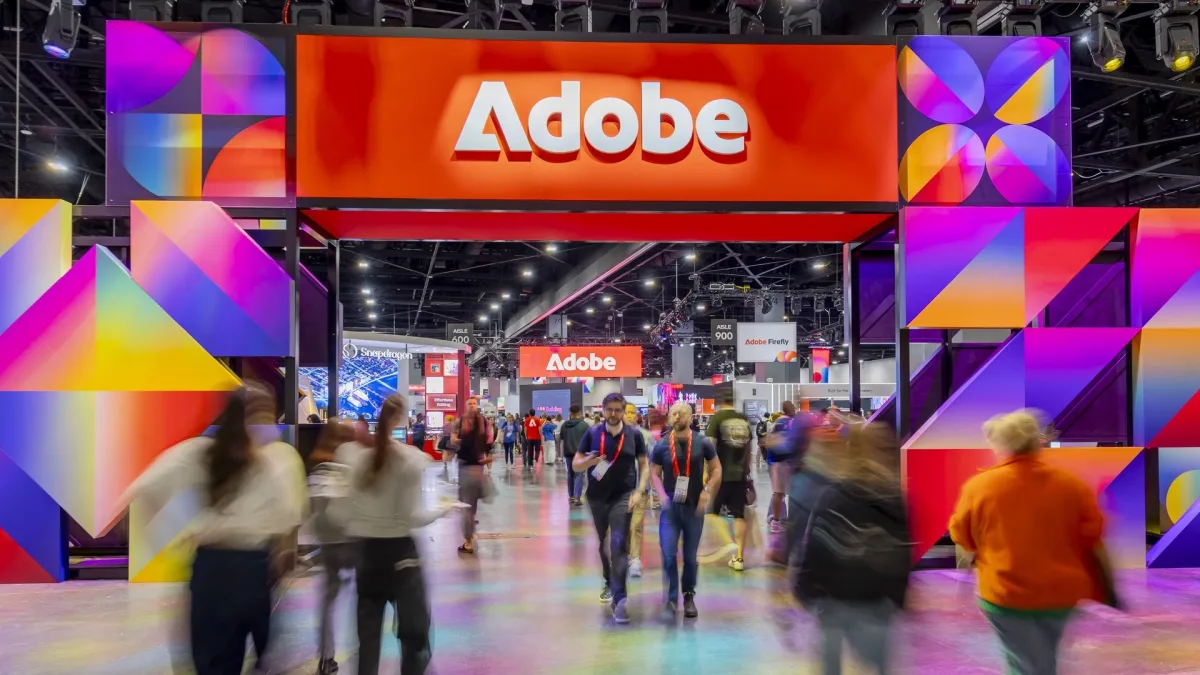
During its MAX Sneaks presentation in Miami Beach, Adobe demonstrated 10 research initiatives. The majority of these projects enable creators to make adjustments using brushes, drags, gestures and other direct manipulation techniques rather than relying on text-based prompts. A fresh Adobe Labs Playground now allows anyone to experiment with two of these prototypes.
Terry Crews, an actor, introduced the session on Wednesday night. John Yang, an Adobe researcher, published a blog post documenting all 10 projects, which span video, audio, imaging and design disciplines. These Sneaks represent research previews rather than finished products, and Adobe has not disclosed which ones might become commercial offerings or on what timeline. According to the company, the research demonstrated at Sneaks informs the development of its future generation of creative tools.
Why Adobe is looking past the prompt
Adobe Labs published a research paper titled Beyond the prompt, authored by researchers Victoria Hollis and Kimberly Welchons, explaining the strategic direction.
Chat is the most common interface for generative AI, but it is insufficient for precise visual work
Victoria Hollis and Kimberly Welchons, Adobe researchers
The research draws from eight studies involving 82 professional and emerging creative practitioners, conducted between 2024 and 2026. The authors also examined 27 academic papers. They conclude that creative professionals discover their intentions through the act of making rather than through advance description. They note that their sample does not represent all creative workers and skews toward visual-focused disciplines.
Directing video in real time
Video editing accounts for four of the showcased projects. Project Scene Sweep propagates a single modification across multiple shots within a sequence. The adjustment persists across scene transitions and varying camera positions. Adobe states that its team developed a proprietary model specifically trained for multi-shot video editing.
Project Live Set enables creators to modify a subject, background or camera angle as video footage continues playing. Project On Cue manages the timing of events within a generated video clip, such as a light flare. A creator can establish this timing by drawing a signal manually, extracting it from existing video footage, or pulling it from an audio track.
Project Screen Test constructs a fictional character complete with appearance, voice and behavioral traits. Creators can then engage in dialogue with the character to evaluate its potential responses across various scenarios.
Pulling one sound out of a mix
Project Sound Bender stands as the sole audio-focused initiative. When a creator describes a desired sound, the tool isolates it from a completed audio mix. Multiple variations then appear within an interactive workspace. Within this environment, the creator can refine the sound in real time or synchronize it with video motion.
Brushes, drags and on-canvas controls
The imaging and design initiatives emphasize hands-on editing approaches. Project Deep Brush decomposes a photograph into separate layers representing shape, color and illumination. Brush applications can then conform to the geometry of surfaces. Creators gain the ability to introduce light into a composition while maintaining authentic shadow behavior.
Project Hands On examines an image and generates interactive elements directly on the canvas, including anchor points on features like a mug's handle. Rather than revising a prompt, creators can reshape details through dragging. Adobe notes this project evolved from the Edit object capability within Firefly, though computational speed initially posed obstacles for the AI models.
Project Rinse Repeat transfers modifications from one section of an image to another location, automatically adjusting them to suit the new context. The system reconstructs them using standard Photoshop functions, preserving their editability. Project Link Up transforms a drag operation into a command. When a user places a car into an illustrated parking lot, the system recalibrates perspective, dimensions and visual style. The outcome remains as editable vector graphics. Project Sight Span converts a single photograph into an immersive environment that creators can navigate through, framing and capturing new compositions from within it.
What you can try now
The Adobe Labs Playground launched alongside the event. It provides early access to Deep Brush and Hands On, along with Project Custom Filters, which transforms a text description into an interactive Photoshop filter complete with adjustable parameters. Adobe has indicated that a conversational character interface and a sound extraction tool based on text descriptions will arrive in the future. Feedback can be directed to labs@adobe.com.
These previews arrived one day following Adobe's MAX product announcements, which included a Firefly agent capable of planning creative workflows, Photoshop's new Relight feature and compatibility with third-party AI agents. Adobe has also expanded Firefly's reach into film production through a partnership with Disney.
Regarding Hands On specifically, Adobe views the project as a potential bridge from text-based editing interfaces toward graphical control systems, and intends to determine whether the capability addresses a genuine need among creative professionals. The Playground serves as the venue where Adobe will gather this essential feedback.
Source: The Next Web